
Company
Click Company in the left menu.
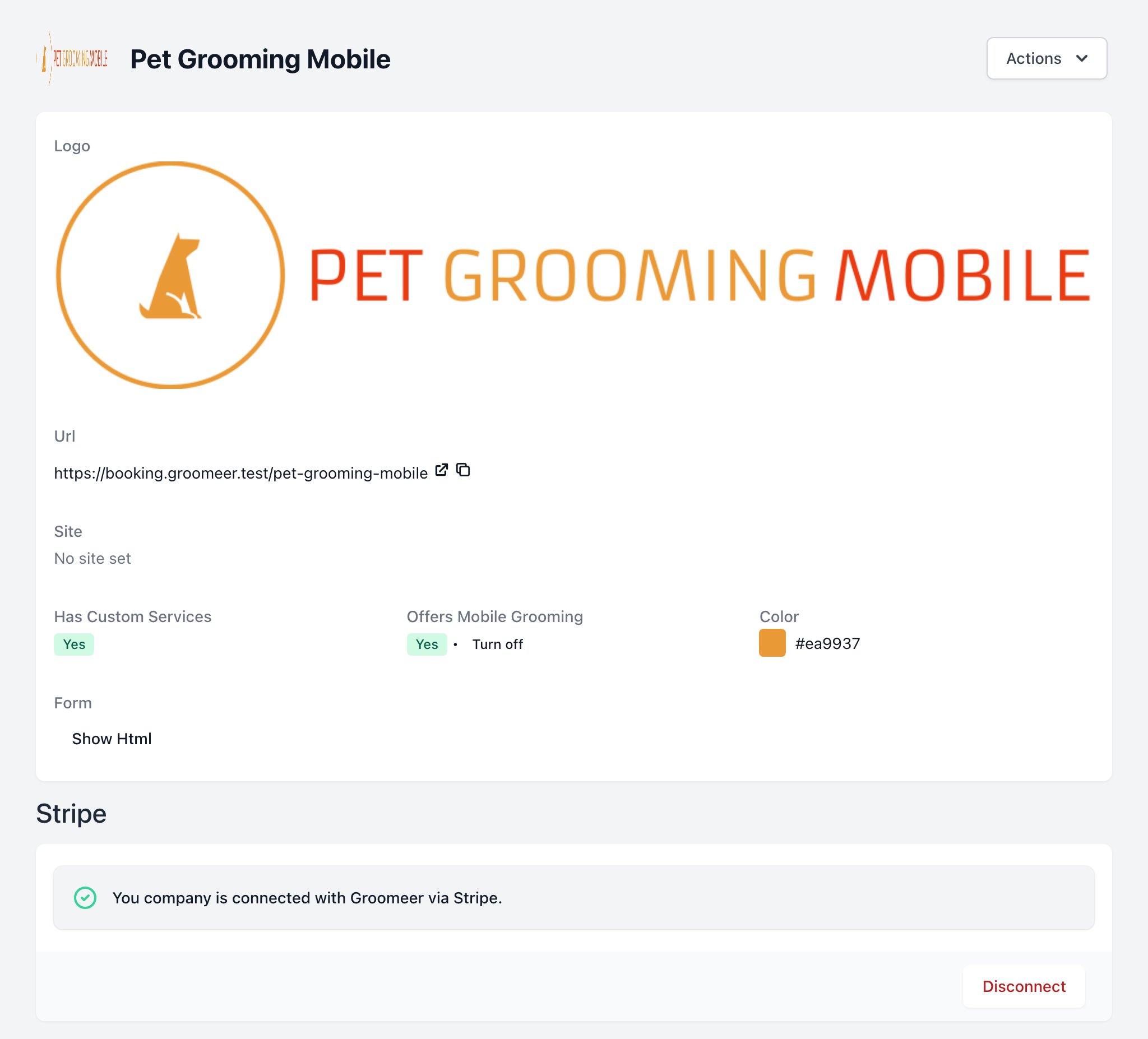
To view this page the user must have permission to
Company Info
- Logo, Site and Color: your branding on the booking pages.
- Url: your public booking page. Copy it or open it with the icons next to it.
- Has Custom Services: Yes if you use your own services instead of the Groomeer ones.
- Offers Mobile Grooming: turn mobile grooming on or off. To turn it off you need at least one location.
- Form: click Show Html to get a small form for your website. It collects name, email and phone and opens your booking page pre-filled.
Stripe
Stripe lets your company take card payments, Tap to Pay and discount codes.
- Connect links your Stripe account.
- Disconnect removes the link. Card payments stop right away.
To view this component the user must have permission to
Past Due Invoices
Shows groomer invoices that are past due.
To view this component the user must have permission to
Company Actions
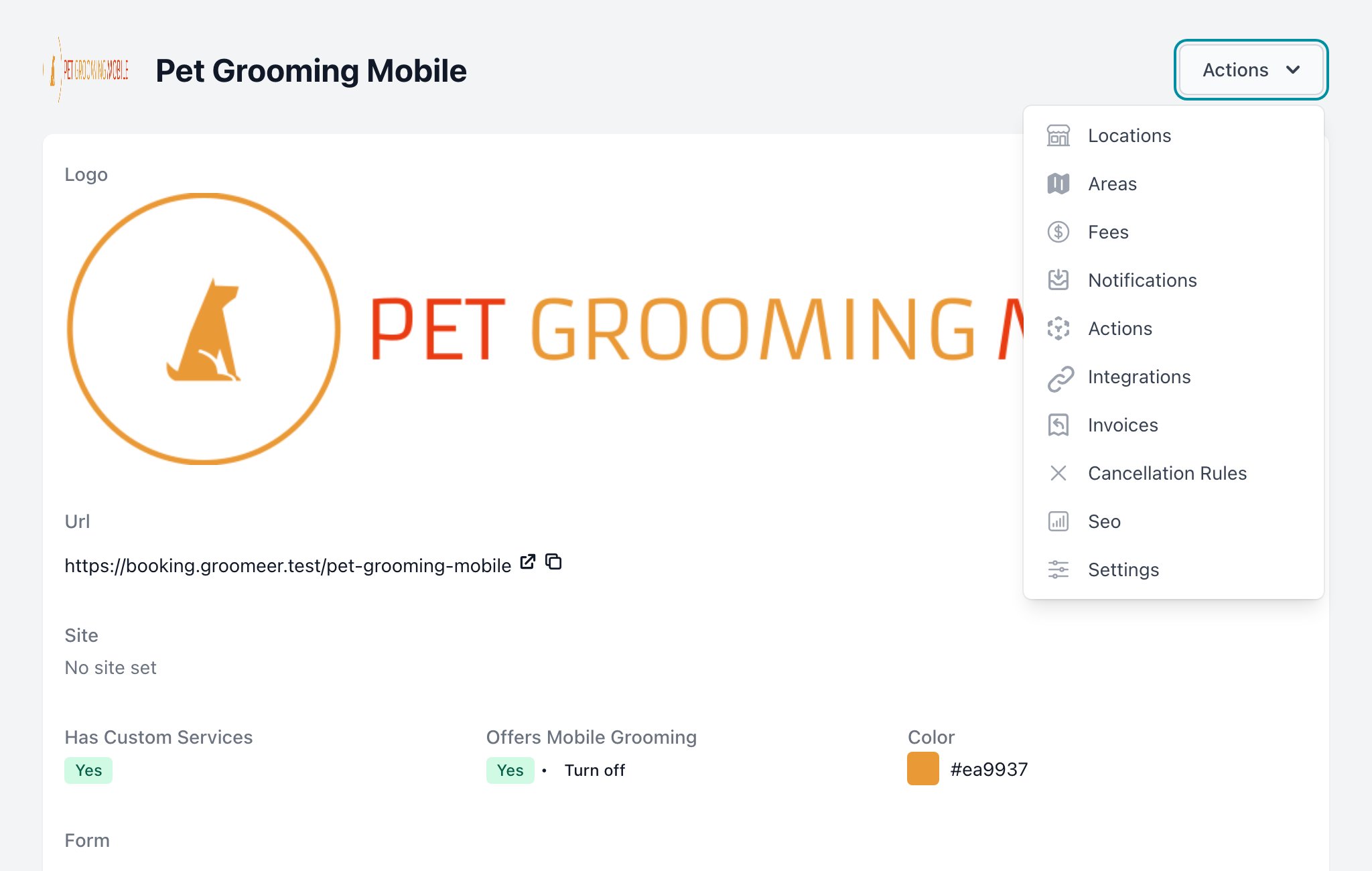
Click Actions at the top right to open the company settings:
| Option | Page |
|---|---|
| Locations | Locations |
| Areas | Areas |
| Fees | Fees |
| Notifications | Notifications |
| Actions | Actions |
| Integrations | Integrations |
| Invoices | Invoices |
| Cancellation Rules | Cancellation Rules |
| Seo | SEO |
| Settings | Settings |